A Gaming Headset Buying Guide That Starts With Your Teammates
4 min read
MAKE IT YOUR READSaved
Check platform support, microphone clarity, long-session comfort and replacement parts before paying for headset features.
Your headset has two audiences: you, listening to the game, and the teammates listening to you. A purchase that impresses in a cinematic trailer can still fail if its microphone clips, its connection does not support your console or its headband becomes distracting halfway through a match. Start with those ordinary problems.
This is a practical decision guide, not an acoustic test or a ranking of products we have worn. Official manufacturer references support compatibility checks. The evaluation process is our own, and this article includes no affiliate purchase links or paid placements.
Compatibility means functions, not just a logo
Write down every device you intend to use and the connection you expect to use on it. Then check the exact headset model, not the product family name. SteelSeries directs buyers to each product's compatibility specification; its support guidance also explains that changing a transmitter does not simply add Xbox compatibility to an unsupported headset.
Separate “I can hear sound” from “the microphone works,” “chat controls work” and “all software features are available.” A useful shortlist has a line for each function you genuinely need. If a retailer cannot confirm a required combination, ask the manufacturer before ordering.
Check how often you switch devices. A headset that is excellent on one PC may create unnecessary friction when shared between a console, phone and work laptop. Decide whether that switching convenience is worth paying for, rather than assuming every extra connection mode is valuable.
Audition the microphone in your actual room
Make a short sample with normal speech, then another while using your keyboard. Listen for missing syllables, sudden volume changes and background noise that makes words hard to understand. Use a call or recording path similar to your normal setup, because software processing can change the result.
This is a personal usability trial, not a frequency-response measurement. The goal is to answer a simple question: can your team understand a calm callout without asking you to repeat it? Ask a friend for a comparison without telling them which sample comes from the more expensive product.
A separate microphone is an option, not an automatic upgrade. It adds desk space, placement and another audio setting to manage. For someone who joins matches from different rooms, a straightforward boom microphone may be more practical than an elaborate desktop arrangement.
Comfort has a return-window test
Try the headset during a normal-length session with your usual glasses, hair arrangement and seating position. Check pressure near the temples, whether the cups move when you look around and whether you can reach mute without searching. Record these observations after use rather than relying on the first soft impression.
If the fit is uncomfortable, do not assume a premium price makes it your responsibility to tolerate it. Inspect headband adjustment and cushion replacement options. For shared equipment, removable parts that can be cleaned according to the maker's instructions deserve attention too.
A wireless model brings charging into your routine. Check whether it remains usable while charging, how a cable would cross your desk and what happens when the battery runs low. Manufacturer battery claims are not your own measured runtime; settings and use can differ. Treat them as specifications to verify, not promises this guide has tested.
Compare the cost of keeping it working
Before purchase, ask who handles warranty claims in your country, whether the microphone or cushions are replaceable and whether a lost receiver can be replaced. Include delivery and returns in the price comparison. A headset is a wear item as well as an electronics purchase.
Imagine one buyer who plays on a single PC and another who moves between several devices. The first may reasonably choose a simple connection and spend the difference elsewhere. The second may value documented switching support. A universal “best headset” label hides that distinction.
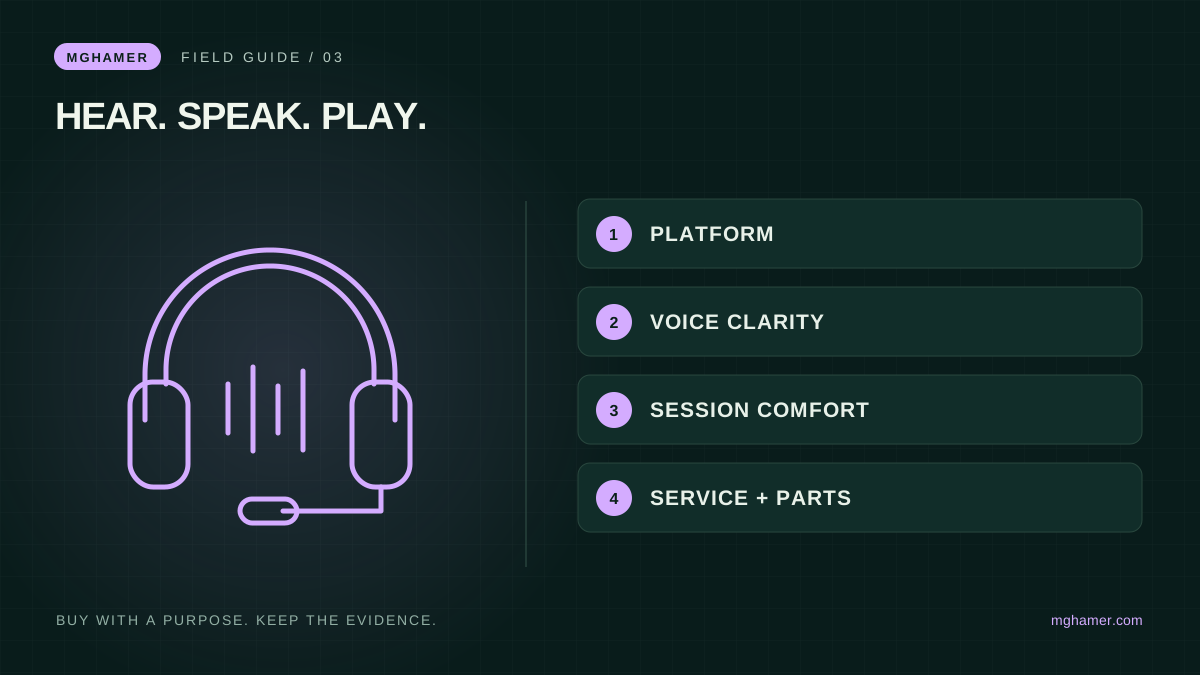
Use four pass-or-fail checks before considering decorative features: your platform works, your voice is intelligible, the fit is tolerable through ordinary use and support terms are clear. Then compare the extras you will actually use. Better communication and fewer interruptions are meaningful upgrades; a longer feature list is only useful when it delivers them.
Sources & further reading
- SteelSeries — Product-specific platform compatibilitysupport.steelseries.com
- SteelSeries — Wireless transmitter compatibilitysupport.steelseries.com
What did you take away?
Real reactions. Thoughtful discussion. Every comment is reviewed before it appears.
Loading reader contributions…
Sign in to join the discussion