Buying a Gaming Mouse: Shape First, Specifications Second
4 min read
MAKE IT YOUR READSaved
Choose a gaming mouse through fit, controls, connection and a repeatable trial—not maximum DPI or someone else’s settings.
A mouse is a repeated physical interaction: you lift it, stop it, click it and recover your grip hundreds of times. That makes comfort and predictable control a better starting point than a professional player's shopping list. A famous model can still be the wrong shape for your hand, your desk and your games.
This guide offers an original comparison process, not measured product rankings. We have not carried out hands-on testing of specific models. The official references explain fit and controls, and no affiliate purchase links or paid recommendations are included.
Define your movement before your model
Look at how you actually hold your current mouse during play. Does your palm rest on it? Do your fingers arch? Do you steer mostly with fingertips, or move your whole arm? These observations are more useful than forcing yourself into a named grip category. Logitech's guidance discusses palm, claw and fingertip approaches and stresses trying the shape for comfort.
Note where your current mouse fails. A side button you cannot reach, an edge that presses into a finger, or a cable that catches on your desk gives you a concrete requirement. Write down two things to fix and two things to preserve. A replacement should not solve an aesthetic complaint by introducing a control problem.
Do not copy another person's sensitivity without understanding the context. Mouse sensitivity, game settings and available movement space interact. Keep your normal settings stable while comparing shapes; otherwise you are testing several changes at once and will struggle to identify what helped.
Decide which controls earn their space
An MMO player who uses many bindings may value more accessible buttons. A competitive shooter player may prefer a simpler arrangement. Neither needs every available button. List actions you currently struggle to reach, then decide whether moving them to the mouse would genuinely improve your workflow.
Test the scroll wheel and middle click as deliberately as the main buttons. For a computer used for work as well as play, document navigation and accidental clicks matter. Left-handed buyers should verify which side controls are usable rather than assuming that a symmetrical shell means a symmetrical feature set.
Treat weight as a preference to test, not a badge of skill. Try controlled stops, small corrections and lifting the mouse back into position. A lighter design that feels insecure in your hand may be less useful than a slightly heavier one you can position consistently. Record comfort after a normal session, not just a few enthusiastic seconds.
Compare the complete connection setup
For wired models, check cable routing and whether it interferes with normal movement. For wireless models, check the receiver type, available ports, charging method and whether the device works in the mode you need. Bluetooth and a dedicated wireless receiver are not automatically interchangeable use cases.
Ask whether essential settings can remain available without installing software on every machine. This matters when moving between a home PC, a laptop and an event computer. Read the exact product documentation: software support, onboard profiles and operating-system compatibility vary by model.
Include replacement skates, warranty handling and a missing receiver in your ownership questions. A low purchase price is less attractive when a small lost part makes the whole product difficult to use. Avoid assuming that accessories fit merely because the branding matches.
Run a fair return-window trial
Use the same mousepad, familiar game and sensitivity for each candidate. Try routine navigation, a practice session and one ordinary longer session. Note finger pressure, accidental button presses and whether lifting changes your grip. These are personal observations, not scientific benchmark claims.
If discomfort appears, adjust the setup or stop the trial rather than trying to “earn” the purchase through endurance. A device should fit your routine. Compare the total delivered cost and return terms before importing; shape is precisely the kind of uncertainty that makes a usable return policy valuable.
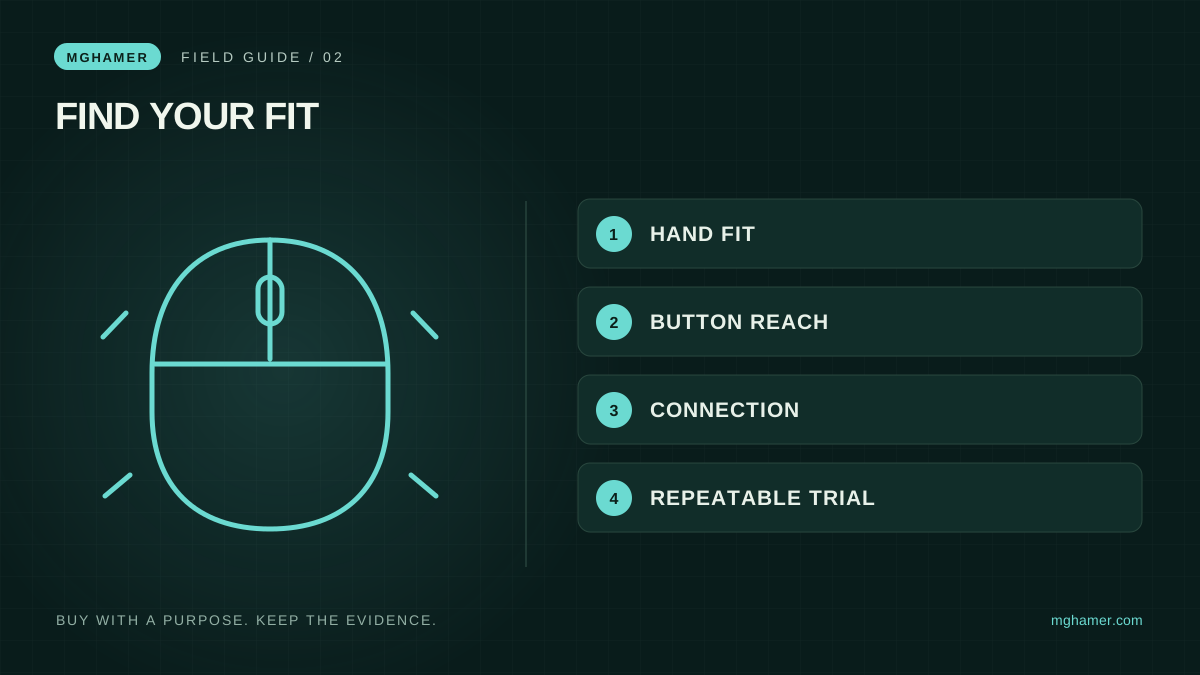
Keep a simple decision sheet with fit, button reach, connection and support. Reject a candidate that fails a must-have even when it wins on advertised DPI. The most valuable result may be discovering that your present mouse needs a cleaned surface, better cable placement or a more suitable pad rather than replacement. Buy the solution to your own problem, and let the specification sheet support that decision.
Sources & further reading
- Logitech — Gaming mouse shapes and gripslogitech.com
- Logitech — Gaming mouse features and DPIlogi.com
What did you take away?
Real reactions. Thoughtful discussion. Every comment is reviewed before it appears.
Loading reader contributions…
Sign in to join the discussion