Mechanical Keyboards for Gaming and Arabic Typing: A Buyer’s Checklist
4 min read
MAKE IT YOUR READSaved
Find the right layout, switch feel, Arabic legends and repair options before buying a mechanical keyboard.
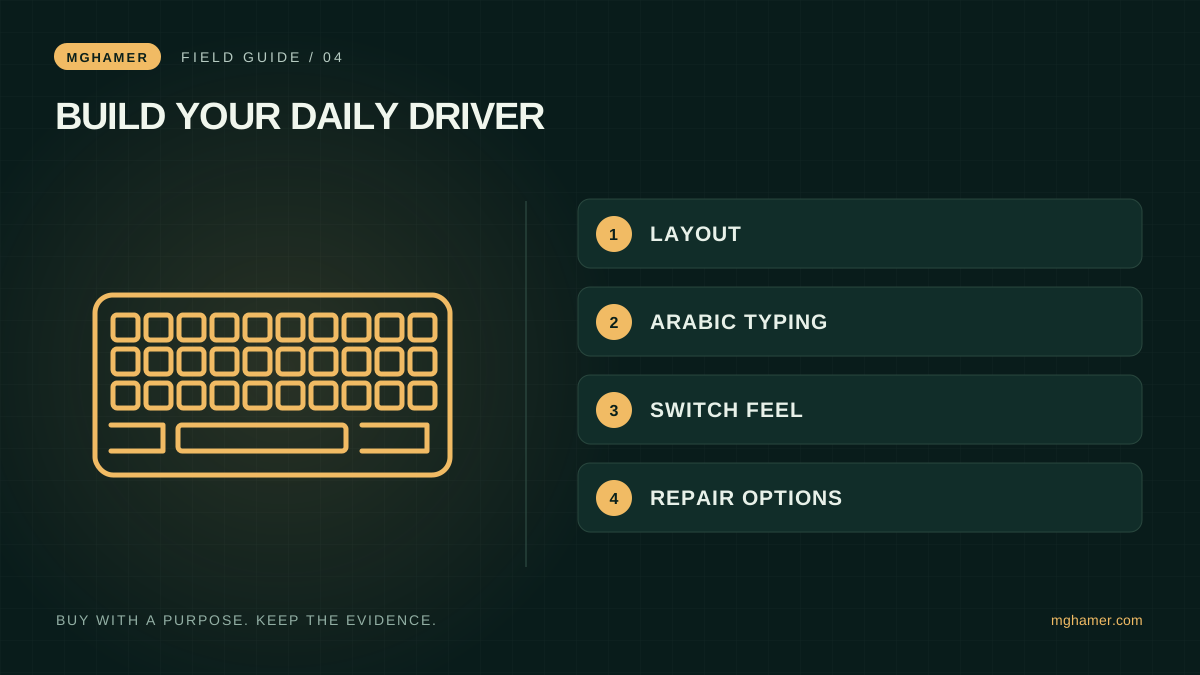
The keyboard that looks perfect in a setup photograph may be annoying when you try to write an Arabic email, enter numbers or reach a shortcut. Gaming is only one part of many buyers' day. A useful keyboard choice begins with the keys you need and the way you actually type, then moves to switches and styling.
This is an original shopping framework, not a hands-on review or a claim that one switch makes every player faster. The manufacturer references explain switch behavior and compatibility. No product has bought a recommendation here, and there are no affiliate purchase links.
Choose the layout before the sound
List the keys you use during a normal week: arrows, function row, number pad, screenshot shortcuts and any work-specific combinations. A compact board can free mouse space, but missing keys may move into layers that require learning. Decide whether that trade fits your work as well as your games.
For Arabic typing, distinguish operating-system language support from the physical letters printed on the keycaps. Buying English-only keycaps does not itself prevent Arabic input, but it may make unfamiliar positions harder to find. Check photographs of the exact regional version, not a general promotional image used for several layouts.
Write down whether you need a particular Enter-key shape or key spacing. If you intend to replace the caps, verify the sizes of modifiers and the space bar. “Fits mechanical keyboards” is not a detailed compatibility promise. Ask the seller for an exact layout diagram when the listing is ambiguous.
Test feel without buying a vocabulary
Broadly, linear switches move without a tactile bump, tactile switches provide a noticeable change in feel, and clicky designs add a deliberate click. Keychron's switch guide illustrates these distinctions. Names and colors alone should not substitute for checking the exact switch specification.
Try a sample board if possible. Type a paragraph, hold common movement keys and use shortcuts. Ask whether accidental presses increase and whether the force feels suitable to you. These personal observations are more useful than adopting someone else's favorite sound description.
Consider the people sharing your room or calls. A sound you enjoy in a short clip can become distracting over a working day. Record a sample with your actual microphone position if you can. This is a practical check, not a calibrated noise measurement, and the desk and room affect the result.
Understand what you can actually replace
Hot-swap capability can make supported switch replacement easier, but compatibility is not universal. Check the board's exact supported switch family and follow its manufacturer instructions. Do not assume a low-profile, optical, magnetic and conventional mechanical design share interchangeable parts.
Ask which components are sold separately: keycaps, cables, switches or stabilizers. Consider how comfortable you are doing basic maintenance. A customizable board is only useful if you want that work; a straightforward complete keyboard can be the better purchase for someone who wants to plug it in and play.
Check software support and whether your required remapping survives moving between machines. If advanced input features are important for competitive play, check the rules of the specific game and tournament before enabling them. A feature appearing in marketing does not establish permission in every competition.
Make the purchase solve your daily friction
Build a short pass-or-fail sheet: required keys present, Arabic typing workable, connection suitable, noise acceptable and warranty understandable. Then compare optional extras. Lighting and case materials can be enjoyable, but they should not quietly replace requirements you wrote before browsing.
Imagine a student who plays tactical shooters at night and uses spreadsheets during the day. Removing the number pad might improve mouse space, but only if the daily number-entry cost is acceptable. A creator sharing a room may care more about microphone pickup than a decorative case. Neither buyer needs to copy a professional player's exact desk.
Before importing, add shipping, local support uncertainty and return costs to the comparison. During the return window, test every key and the connection modes you intend to use. Keep the packaging and proof of purchase. The right keyboard is one that removes friction from both play and ordinary work, not one that requires you to rebuild your habits around its photograph.
Sources & further reading
- Keychron — Mechanical switch behavior guidekeychron.com
- Keychron — Switch replacement instructionshelp-center.keychron.com
- Keychron — Switch and keycap compatibilitykeychron.com
What did you take away?
Real reactions. Thoughtful discussion. Every comment is reviewed before it appears.
Loading reader contributions…
Sign in to join the discussion